HOA management software for South African estates
HOA management, for SA estates.
Manage homeowners associations, gated estates and lifestyle developments with native levy collection, conduct-rule offence workflows, gate access codes, trustee multi-sig approvals, AGM document management and recurring estate maintenance — on the same platform that runs your rental book.
- Estate access codes
- Levy roll + special levies
- Conduct rules + fines
- Trustee approvals
Select HOA as the scheme type to activate the homeowners-association workspace on the property.
Per-visitor codes, SMS to visitor, notification to gatehouse, gate-reader logging.
Designed to support reserve fund segregation, AGM minutes retention and CSOS dispute reference tracking.
An HOA is not a body corporate — and the platform respects the difference.
In South Africa, an HOA (Homeowners Association) is typically a voluntary or constitution-mandated association of property owners in a gated estate or lifestyle development. Each owner holds full title to their own erf, the HOA owns the common areas (roads, gates, clubhouse, parks), and the HOA constitution governs levies, conduct rules, and architectural guidelines. The legal posture differs from a sectional title body corporate, which is created by statute under the STSMA.
The practical implication for the managing agent is meaningful. HOA levies are not generally subject to the same statutory reserve fund requirement that applies to sectional title body corporates under the STSMA — but most HOA constitutions explicitly call for an HOA reserve fund anyway, and prudent governance supports it. Conduct rule enforcement looks different (estate aesthetic guidelines, garden upkeep, pet rules, vehicle parking) and gate access is a primary concern for residents who pay levies expecting security.
Regalis treats HOA as a first-class scheme type. The reserve fund mechanic is available but optional, with your constitution dictating whether it applies. The conduct rule offence module is configured around HOA-typical categories. Access codes for estate gates ship as a core feature. AGM management, constitution document storage and trustee approval flows are all native.
Read the full guide
How HOAs run on spreadsheets
- Levy roll lives in an Excel file. The PM rebuilds it when an owner transfers; the body of the spreadsheet drifts from the actual balances.
- Conduct rule offences arrive over WhatsApp; some get logged in a Word document, others get forgotten until the resident complains again.
- Access codes are sent over WhatsApp from a personal phone. The gatehouse keeps a paper register that does not reconcile to anything.
- Trustee approvals happen at quarterly meetings — and anything in between gets approved over WhatsApp with no audit trail.
- AGM time arrives and the PM spends a week building the annual financial statement, the year-end balance, and the list of outstanding owners — by hand.
How Regalis runs it
- The levy roll is computed live from the platform every time you open it. Transfers update the underlying owner record, and the roll reflects the change automatically.
- Offences flow through structured escalation chains with configurable categories, automatically charging the owner ledger when a fine is issued.
- Access codes are generated through the platform with SMS to the visitor, gatehouse notification, and gate-reader redemption logging.
- Trustee approvals run through a configurable any-of-many sign-off requirement with a per-trustee decision trail.
- AGM-time year-end runs from the platform — actual-vs-budget, trial balance, GL, owner statements all generated in one click.
From estate onboarding to AGM sign-off.
Switch the property to HOA mode
Open the property settings, select HOA as the scheme type, enter the CSOS registration number, set the financial-year start month if it differs from your firm default, and link the constitution, conduct rules and management rules. The property page then gains compliance, offences, transfers and trustees tabs.
- HOA mode + CSOS registration
- Per-scheme financial-year anchor
- Constitution / conduct rules / management rules linked
Onboard owners and trustees
Owners are linked to specific units; ownership history is tracked across transfers. Trustees join the property with their role (chair, treasurer, secretary, member) and appear in the firm-wide team directory with a Trustee badge.
- Owner records with ownership history
- Trustees with role assigned
- Firm-wide visibility in the team directory
Run the levy roll + handle offences
Monthly levy run mints invoices per unit using participation quota. Special levies layer on demand. Conduct-rule offences logged on the property's offences tab; auto-charge fires on fines. Trustees approve supplier payments via the portal with N-of-M multi-sig.
- Monthly levy run + special levies
- Offences with escalation + automatic charging
- Trustee multi-sig approvals
Year-end and AGM
Year-end runs actual-vs-budget, trial balance, general ledger and per-owner statements. AGM minutes and the 10-year maintenance plan attach as retention-aware documents. CSOS compliance items roll over for the new financial year.
- Year-end full report pack
- AGM minutes retained
- 10-year maintenance plan
- CSOS compliance planner rollover
Everything an HOA managing agent actually uses.
HOA-mode property
Select HOA as the scheme type. Constitution, conduct rules and management rules attach as linked documents. Optional reserve-fund flag on relevant accounts.
Owner records
Owners are unified with the rental-side owner model. Ownership history is tracked over time for clean transfer reconciliation.
Trustees register
Trustees join the property with their role (chair, treasurer, secretary, member) and get portal access. They appear in the firm-wide team directory with a Trustee badge.
Levy roll
Live per-unit levy from participation quota and the active budget. Base levies and special levies on demand. Pro-rata on mid-period transfers.
Conduct rule offences
Warning, penalty and fine escalation chains. Per-property offence categories with configurable escalation. Automatic charge to the owner's ledger when a fine is issued.
Estate access codes
Per-visitor codes generated by owners or staff. SMS to visitor, notification to gatehouse, redemption logged at gate reader. Codes auto-revoke at max-uses.
Trustee approvals
Configurable any-of-many multi-sig requirements for governance actions. Trustees decide via the portal, and the decision trail is captured.
AGM documents
AGM minutes, year-end financials and the annual budget all attach as retention-aware documents. Reusable in subsequent disputes or audits.
Recurring maintenance
Pool service, garden, gate motors, fire equipment — recurring tasks at monthly, quarterly or annual frequency, with the next work request created automatically when it becomes due.
Levy clearance certificate
On transfer, the platform computes outstanding amounts and generates a Levy Clearance Certificate PDF only when balances are settled.
Multi-channel notices
Targeted audience selectors — all owners, trustees only, in-arrears, by phase. Bulk SMS and email via the same engine as load-shedding notices (WhatsApp channel coming soon).
Reserve fund (optional)
For HOAs whose constitution calls for a reserve fund, the same segregation used for sectional title is available — flagged accounts, a dedicated reserve trust account and supporting reports.
An HOA pays levies because residents expect security to work.
For most gated estates the largest single line item in the monthly levy is security — armed response retainer, gate guards, perimeter maintenance, camera systems. Owners pay the levy expecting that side of the operation to be tight. When the gate code system fails, when a visitor cannot be reached by the gatehouse, when an after-hours emergency does not get a response, the trust between the managing agent and the residents erodes quickly.
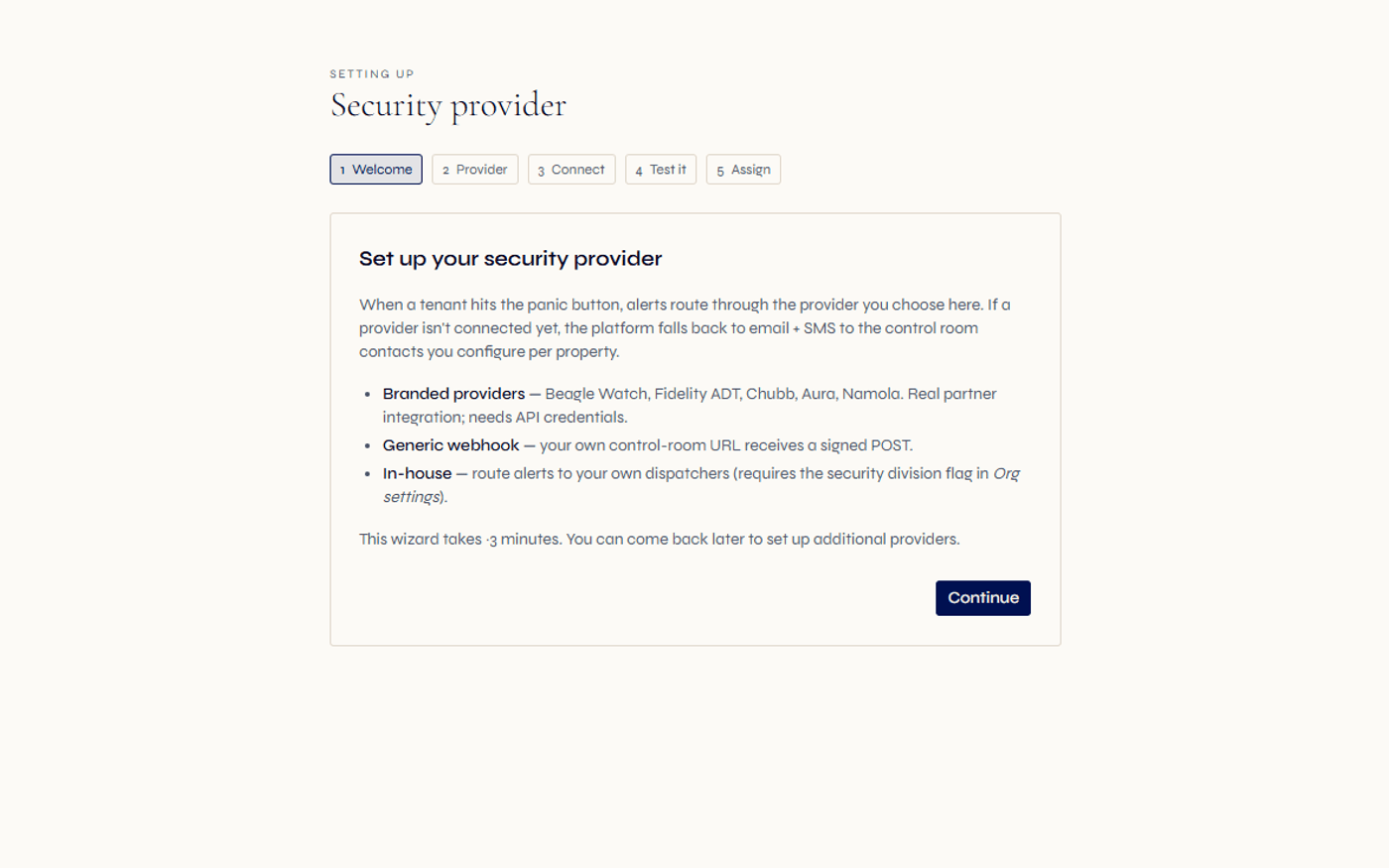
Regalis was built with that in mind. Access codes are a first-class workflow — visitors get their code by SMS the moment it is issued, the gatehouse is notified at the same time, and the redemption at the gate is logged. For after-hours emergencies, the emergency-alert workflow routes to your security partner (Beagle Watch, Fidelity ADT, Chubb, Aura, Namola) or to your in-house dispatcher, with sign-off chains and outcome tracking.
The in-house security division mode is particularly relevant for larger estates that staff their own gatehouse and roving guards. Once enabled, it activates a security operations console with role-aware views for the security ops manager, account manager, dispatcher, officer and guard layers. The same platform that runs the levy roll runs the gatehouse.
Continue exploring how Regalis handles the rest of the rental operation.
Community schemes overview
The full integrated community schemes mode covering HOA, body corporate, sectional title and share block.
Read moreSectional title & body corporate
STSMA-aligned reserve fund, body corporate levies, participation quotas, statutory obligations.
Read moreLevy collection
Structured levy arrears recovery with multi-channel reminders and an evidence trail to support CSOS matters.
Read moreCommon questions
Common questions about HOA management.
Does Regalis support HOA (homeowners association) management specifically?+
Yes. Select HOA as the scheme type to activate the homeowners-association workspace. Owners, trustees, the levy roll, conduct-rule offences, transfers, recurring estate maintenance, AGM document management and access codes for estate gates all work natively.
How does HOA levy collection work?+
Each unit carries a participation quota or share percent that drives the monthly levy. The platform mints invoices on the 1st of each month. Special levies for one-off projects (security upgrades, road resurfacing) layer in on demand. Pro-rata is computed when an owner sells mid-period.
What about gated estate access codes?+
Included. Owners and staff generate per-visitor codes through the platform; codes are SMSed to the visitor and notified to the gatehouse. When the visitor redeems the code at the gate reader, the redemption is logged with timestamp. Codes auto-revoke at max-uses. Tenants on rented HOA units have the same access from their own portal.
How do conduct rule violations get handled?+
The offences module handles warning, penalty and fine escalation chains. Each property has its own offence categories (noise, parking, pets, alterations, common-area misuse). When an offence escalates to a fine, the charge is automatically posted to the owner's ledger.
Can the HOA committee approve actions through the platform?+
Yes. Trustees receive approval requests in their portal. For high-value supplier payments or governance decisions, configurable multi-sig requirements (for example 2 of 3 trustees) enforce sign-off. Each decision is captured with timestamp and reason; the EFT batch exports once the multi-sig is satisfied.
What about AGM minutes and statutory documents?+
AGM minutes, the constitution, conduct rules, management rules and the 10-year maintenance plan all attach to the property as retention-aware documents. Statutory documents have dedicated slots so the portal surfaces them quickly. Once approved, the final AGM minutes are stored in the scheme's statutory document record with retention controls applied; the full AGM workflow — notice, RSVPs, attendance, proxies, vote tally and minutes approval — lives in the dedicated AGM module.
Does the AGM workflow handle voting?+
Yes. The AGM module supports annual, special, trustee and round-robin meeting types with threshold-aware voting. For HOAs the voting thresholds are configured to follow your constitution — typically an ordinary majority of votes cast and a special majority by number and, where the constitution requires it, by value. Owners self-RSVP from the portal; pre-filled proxy forms are generated per owner per meeting; approved minutes are stored in the scheme's statutory document record. Round-robin resolutions are supported as a first-class meeting type for between-meeting decisions.
Does the HOA get a health scorecard?+
Yes. The scheme health scorecard computes a composite 0-100 score per HOA across six weighted components — compliance, arrears, reserve fund coverage (where the constitution mandates a reserve fund), open offences, AGM cadence and budget adherence. Weights are tunable per firm, with monthly snapshots, a 12-month trend and a breakdown view. The trustee portal card shows the score, an at-a-glance rating from critical through to excellent, and the trend.
How do owners pay levies?+
EFT (matched automatically from bank payment notifications and CSV bank-statement imports), or manual receipt capture by staff. All payment paths feed into the same allocation engine.
See everything built for you — explore the estates hub
HOA management,
without the spreadsheets.
Walk through the HOA mode, the levy roll, the access codes and the trustee approvals workflow with someone from the team.