Lease renewal software
that never lets a renewal slip.
Track every lease end date, surface expiring and expired leases automatically, capture the tenant's renewal intent in their portal, apply the agreed escalation, send the renewal offer and re-sign the new lease — with the tenancy history carried forward, not lost. The renewal slice of the lease lifecycle, sharpened.
- Expiry tracking
- Renewal intent capture
- Escalation on renewal
- Re-sign (ECTA)
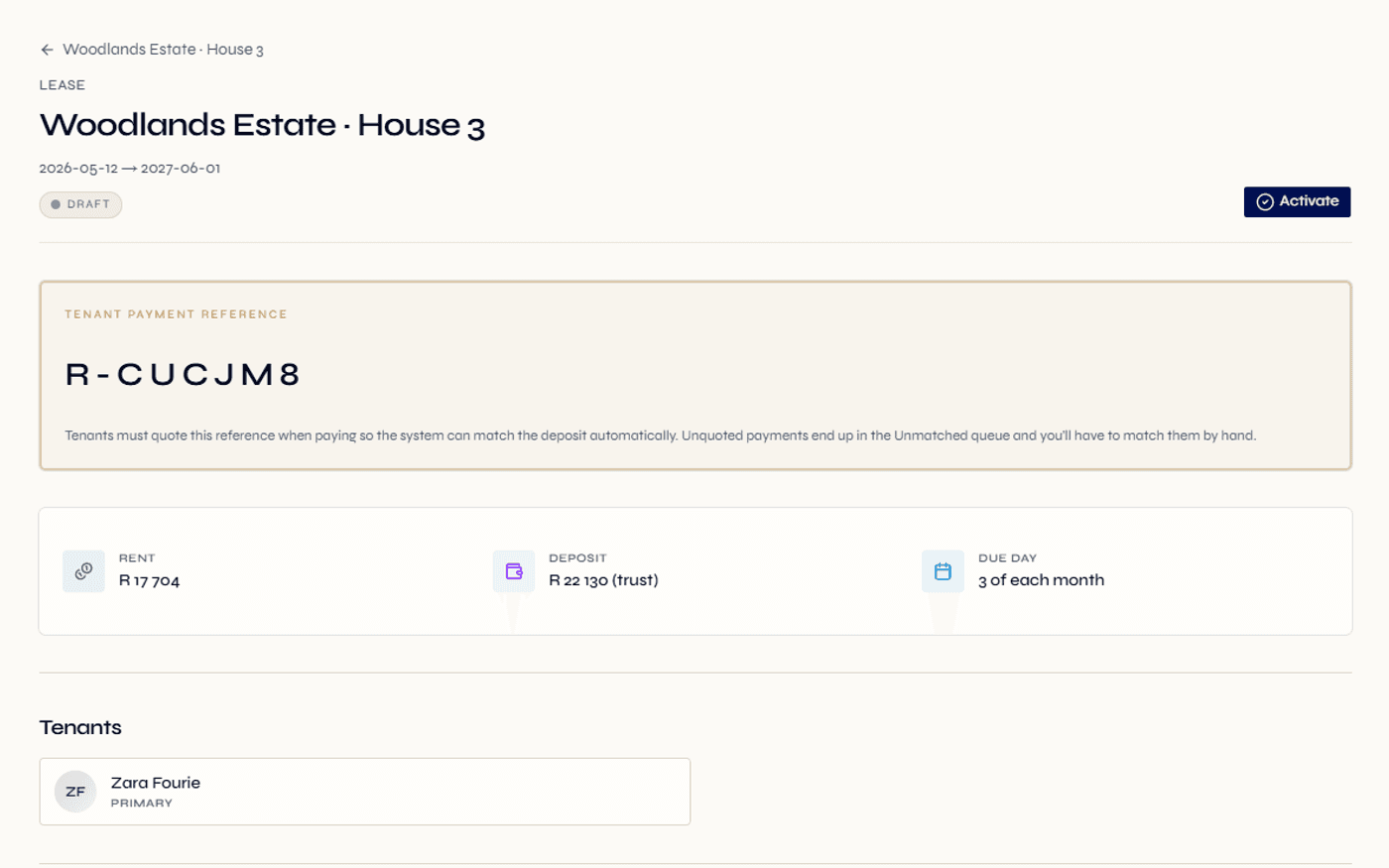
A lease end date drives a live status — expiring inside your window, expired past it — without anyone updating it by hand.
Set how many days before the end date a lease should start showing as approaching renewal. A dashboard tile counts them.
The renewal lease is re-signed in the portal — name, IP, device, timestamp and geolocation captured per tenant.
A renewal is the cheapest tenancy you will ever sign — if you catch it in time.
The single most expensive event in a rental portfolio is an avoidable vacancy. A tenant who would happily have stayed walks because nobody started the renewal conversation in time, the unit sits empty for a month, and the cost of finding, screening and onboarding a replacement dwarfs whatever escalation you were negotiating. Renewals, handled early, are pure margin protection.
Yet in most teams renewals run on memory and a calendar reminder. Someone is supposed to notice that a lease ends in two months. Nobody owns the list of leases approaching their end date. The offer goes out late, the tenant has already started looking, and a relationship that should have continued for years ends over a missed window.
Regalis turns renewals into a tracked, visible workflow instead of a thing you hope someone remembers. The end date drives a derived status, the expiring window is configurable to your business, and a dashboard tile counts the leases approaching renewal so the team works a list rather than a memory.
Read the full guide
What renewals look like without it
- Lease renewal is a calendar reminder; nobody owns the list of leases approaching their end date until the tenant raises it first.
- The renewal offer goes out late — after the tenant has already started viewing other units.
- The agreed escalation lives in an email thread, gets keyed into a separate spreadsheet, and never quite matches the lease.
- A renewed tenant signs a brand-new agreement that is disconnected from the lease it replaced, orphaning the prior history.
- Expired leases linger on the books with no clear status — is the tenant on a holdover, renewing, or gone?
- When a tenant disputes the new rent, nobody can show when and where the renewal was signed.
What it looks like in Regalis
- A configurable expiring window surfaces every lease approaching its end date, counted on a dashboard tile the team works from.
- The renewal offer is built early with the new commercial terms, including the agreed escalation, set directly on the lease.
- Escalation flows from the offer into the new lease and onto the rent invoice schedule — no spreadsheet reconciliation.
- The renewal lease points back to its predecessor, so the tenancy reads as one continuous timeline.
- Status is derived from the end date — expiring inside the window, expired past it — so the books are always honest.
- The re-signed lease records name, IP, device, timestamp and geolocation per tenant as renewal evidence.
From the expiring window to a re-signed lease.
Expiry is tracked automatically
Every lease holds its end date, and the platform derives the status from it. When a lease crosses into your configured window — for example 90 days before the end date — it is shown as expiring and counted on the dashboard. Past the end date with no renewal, it is shown as expired.
- Derived expiring / expired status
- Configurable renewal window
- Dashboard tile counts approaching renewals
Capture renewal intent
As the lease enters the window, the tenant captures their renewal intent — renew or decline — through their portal. A renew sets the renewal in motion; a decline routes the lease toward its ending and termination workflow with the notice details recorded. Either way the decision is in writing, with a timestamp.
- Tenant decides in their own portal
- Renew or decline, recorded in writing
- Decline feeds the termination workflow
Build the renewal offer with escalation
For a renewing tenant you build the new term — the new rent including any agreed escalation, the new dates and the notice period. The terms are set on the renewal lease so there is nothing to reconcile against a separate record later.
- New rent and escalation set on the lease
- New start, end and notice period
- No separate spreadsheet to maintain
Re-sign and carry the history forward
The tenant re-signs the renewal lease in the portal, with name, IP, device, timestamp and geolocation captured per signer. The new lease points back to its predecessor so the full tenancy history stays intact, and once activated the rent invoice schedule picks up the new terms automatically.
- Re-signed with ECTA-aligned evidence
- New lease linked to its predecessor
- New rent schedule starts on activation
Everything that fires near the end of a tenancy.
Expiry tracking
Every lease carries its end date and the platform tracks it continuously — no manual diary, no separate reminder list to keep current.
Derived expiring / expired status
Status comes from the end date and your window. A lease shows as expiring inside the window and expired past the end date with no renewal — derived, not hand-maintained.
Configurable renewal window
Set how many days before the end date a lease should start surfacing as approaching renewal, tuned to how far ahead your team likes to work.
Approaching-renewal dashboard tile
A dashboard count of leases inside the expiring window, so the renewals desk works from a live list instead of memory.
Renewal intent capture
The tenant records renew or decline in their portal as the lease enters the window — the decision is in writing, timestamped, and drives what happens next.
Escalation on renewal
Set the new rent including any agreed escalation directly on the renewal lease; the new term carries it forward and the rent schedule picks it up on activation.
Renewal offer
Build the next term — new rent, new dates, notice period — on the renewal lease, with no separate document to reconcile back against the record.
Re-sign in the portal
The renewal lease is signed in the tenant portal, capturing the signed name, IP, device and browser, timestamp and geolocation per tenant — designed to support ECTA evidence.
Tenancy history preserved
The renewal lease points back to the one it replaces, so the signed documents, prior terms and past invoices read as one continuous tenancy timeline.
Multi-tenant renewals
Couples, families and co-tenants each re-sign separately, so a renewal records a distinct signature for every tenant on the lease.
Renewal notifications
As a lease is renewed, the platform can notify the tenant, the landlord, the managing agent and the property manager so everyone sees the new term.
Retention-aware documents
Renewal documents carry a configurable retention window designed to support POPIA-aligned retention, with a legal-hold setting that keeps them in place during a dispute.
A renewal is a new agreement — capture it like one.
A lease renewal in South Africa is a fresh agreement on fresh terms. The Rental Housing Act frames the residential landlord-tenant relationship and the expectation that the terms be recorded in writing, and the renewed rent — escalation included — is part of that record. Treating the renewal as a casual continuation of the old lease, with the new figure agreed by email, is exactly how disputes start.
The Electronic Communications and Transactions Act (ECTA) of 2002 recognises electronic signatures on residential leases, provided the signature is reliable for its purpose — identity, intent, integrity of the document, and the time and place of signing. Re-signing a renewal in Regalis is designed to capture that evidence: the signed name for intent, the IP and device for identity context, a tamper-evident record for integrity, and the timestamp and geolocation for time and place.
The practical effect is that a renewal becomes defensible. The new rent and escalation are on the lease, the tenant signed the new term in the portal with the supporting evidence attached, and the renewal is linked to the tenancy it continues. If the new figure is ever questioned, the answer is on the record — not in a half-remembered email thread.
Continue exploring how Regalis handles the rest of the rental operation.
Lease management
The complete lease lifecycle — drafting, ECTA-aligned signing, activation, termination and document history. Renewals are the slice this page sharpens.
Read moreTenant portal
Where the tenant captures renewal intent and re-signs the renewal lease — alongside invoices, payments and requests.
Read moreRental management
How leases, rent, arrears and renewals fit together across the rental operation on one platform.
Read moreCommon questions
Common questions about lease renewal software.
What does lease renewal software actually do?+
It removes the calendar-reminder guesswork from renewals. Regalis tracks every lease end date, flags leases that are approaching expiry inside a window you configure, captures whether the tenant intends to renew or move out, applies any agreed escalation to the new terms, and carries the tenancy forward by linking the renewal lease back to the one it replaced — so the history reads as one continuous tenancy, not a stack of disconnected PDFs.
How does Regalis know a lease is expiring?+
A lease stores its end date, and the platform derives a live status from it. Within the window you set — say 90 days before the end date — the lease is shown as expiring; past the end date with no renewal, it is shown as expired. You do not maintain that status by hand. A dashboard tile counts the leases approaching their end date so nothing slips through.
What is the difference between this and lease management?+
Lease management covers the whole lifecycle — drafting, signing, activation, termination and document history. Lease renewal is the slice that fires near the end of a tenancy: expiry tracking, the renewal offer, the escalation, the renewal-intent capture and the re-sign. They run on the same lease record, so a renewal handled here flows straight back into the full lifecycle view.
Can the tenant respond to a renewal in their own portal?+
Yes. As a lease enters its expiring window, the tenant captures their renewal intent — renew or decline — through their portal. If they renew, you generate the new lease; if they decline, the lease moves toward its ending and termination workflow with the notice details recorded. The tenant decides in writing, in the platform, with a timestamp.
How is the rent escalation applied at renewal?+
When you build the renewal offer you set the new commercial terms — including any rent escalation agreed for the next term. The new lease carries those terms forward, and once activated the rent invoice schedule picks them up automatically. There are no separate spreadsheets to reconcile against the lease.
Does the tenant re-sign the renewed lease?+
Yes. The renewal lease is signed in the tenant portal exactly like the original. Each signature captures the signed name, the IP address, the device and browser, the timestamp and the device geolocation — designed to capture the evidence the Electronic Communications and Transactions Act (ECTA) looks for in most residential rental contexts. Multi-tenant renewals capture a signature per tenant.
Is the previous tenancy history kept after a renewal?+
Yes — that is the point of linking the renewal back to its predecessor. The new lease points to the lease it replaced, so the signed documents, the prior terms, the past invoices and the original signature evidence all stay reachable as one tenancy timeline rather than being orphaned when a new agreement is signed.
Catch every renewal
while it is still cheap.
Walk through the expiring-lease tracking, the renewal-intent capture, the escalation on renewal and the re-sign with someone from the team.