Owner portal software for South African schemes
scheme owner self-service — levy statement, documents, requests.
A portal for the people who own units in your schemes. Each owner signs in to their per-unit levy statement and balance, reads the constitution, conduct rules and management rules, checks conduct-rule charges on their unit, logs a request and uploads proof of payment — all under your managing-agent brand.
- Per-unit levy statement
- Scheme documents
- Proof of payment upload
- Owner-scoped data
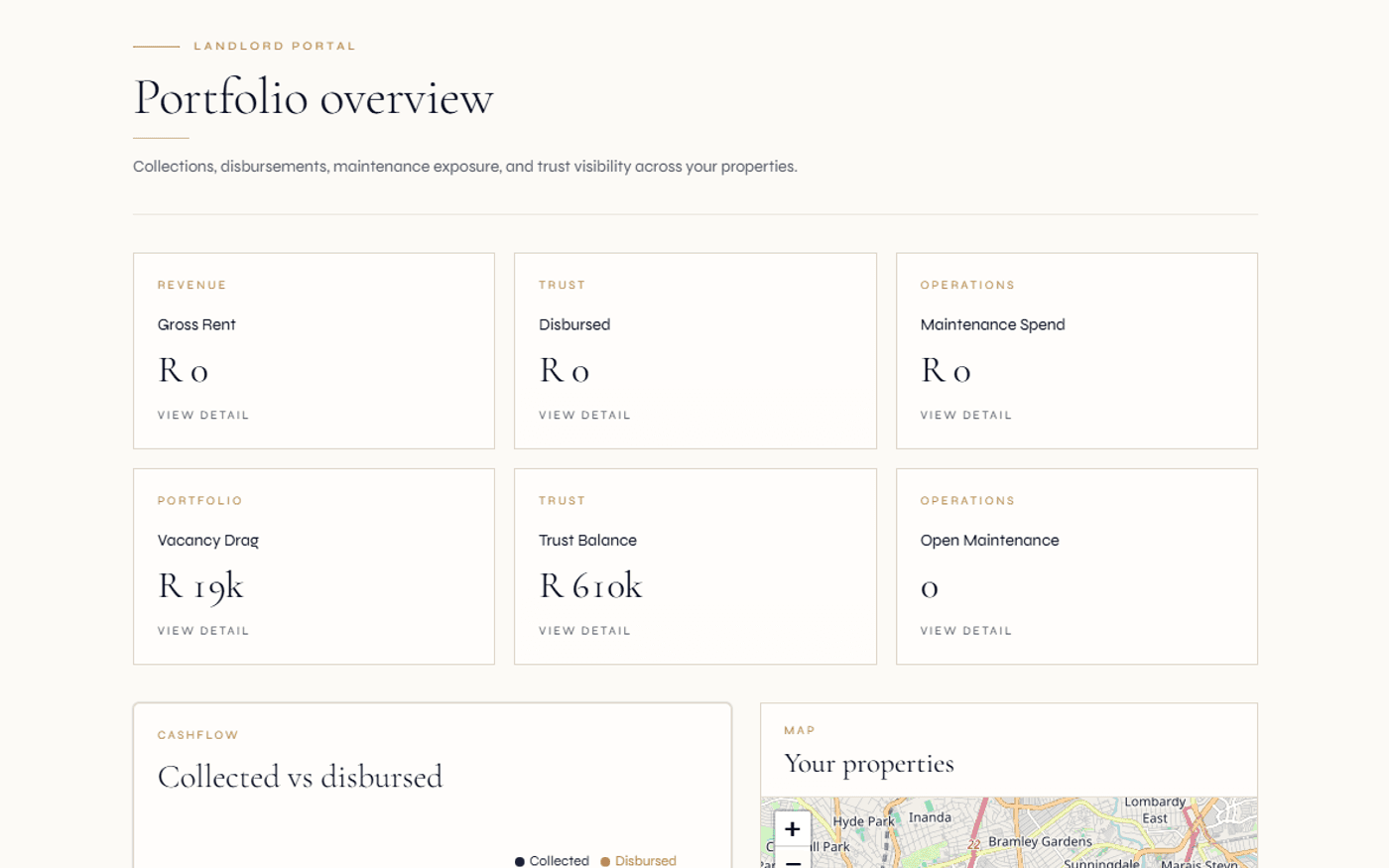
Each owner sees their own statement and balance — computed live from the levy roll, never a stale copy.
An owner sees only their own unit and ledger. The full levy roll stays a trustee-level view.
The owner reads the same record the managing agent operates on. There is nothing to reconcile.
Owners do not want to phone the office for a balance. They want to log in and see it.
A scheme owner in a South African body corporate or HOA estate has a small number of recurring needs: what is my levy balance, what do I owe this month, what are the rules of the scheme, why is there a charge on my unit, and how do I send proof that I have paid. For decades the answer was a phone call to the managing agent or an email into a shared inbox — slow for the owner, and a constant interruption for the agency.
The owner portal answers all of those without a call. The owner signs in, opens their per-unit levy statement, reads the constitution and conduct rules that bind their unit, sees any conduct-rule charge on their ledger, logs a request, and uploads proof of payment. It is a deliberately narrow surface — the things an owner actually needs — rather than a stripped-down trustee dashboard.
Crucially, the owner reads the same operating record the managing agent works from. There is no separate owner database to keep in step: the statement an owner sees is the live levy roll for their unit, and a request an owner logs lands in the agency workflow with its audit trail intact. One record, two viewpoints.
Read the full guide
What life is like without an owner portal
- Owners phone the office for a levy balance — every call is an interruption, and the answer is read off a spreadsheet that may already be a day stale.
- Proof of payment arrives by email into a shared inbox, unlinked to any invoice, and someone has to chase it down at allocation time.
- Owners ask for the conduct rules or the constitution one at a time, and the office re-sends the same PDFs week after week.
- A charge appears on a statement, the owner disputes it, and there is no self-service way for them to even see the charge in context first.
- Maintenance and general requests land in WhatsApp and email with no audit trail, so nothing can be reconstructed at AGM time or for a CSOS query.
- The owner has no way to tell their own balance apart from the scheme as a whole, so every query starts from zero.
What the owner portal gives you
- Owners self-serve their balance and statement. The office switchboard stops ringing for routine balance queries.
- Proof of payment is uploaded against the owner record, ready to allocate to the right invoice — no inbox archaeology.
- The constitution, conduct rules and management rules sit in the portal as documents the owner can read any time.
- A conduct-rule charge is visible to the owner in context on their own ledger before they raise it.
- Requests are logged with a clean audit trail and feed the agency workflow — defensible at AGM time and for CSOS.
- Each owner sees only their own unit, so every interaction starts from their own numbers, not the whole scheme.
From invite to self-service in four steps.
Owner is invited to the portal
The managing agent invites an owner from the scheme record. The owner accepts via a tokenised link, sets a password and is scoped to their own unit — nothing else in the scheme is visible to them.
- Tokenised accept link
- Owner-scoped access
- Under the agency brand
Owner opens their levy statement
The owner lands on their unit: current levy balance, latest invoices, recent payments. The per-unit statement reflects base levies, special levies, reserve-fund top-ups, interest and any conduct-rule fine — live from the levy roll.
- Per-unit balance + statement
- Special levies + reserve top-ups
- Interest + conduct-rule charges
Owner reads the rules and checks charges
The constitution, conduct rules and management rules are available as documents. Any conduct-rule charge against the unit shows on the owner ledger in context, so the owner understands a charge before raising a query.
- Constitution + conduct rules
- Management rules
- Charges visible in context
Owner logs a request or uploads proof
The owner logs a maintenance or general request — captured with an audit trail — or uploads proof of an EFT payment against their record. Both flow into the same agency workflow the managing agent already operates.
- Log request with audit trail
- Upload proof of payment
- Feeds agency workflow
A narrow, owner-shaped surface — not a cut-down trustee dashboard.
The owner portal gives a scheme owner exactly what they need: their statement, their documents, their charges and a way to act. Trustee-level views — the full levy roll, multi-sig approvals, scheme finance — live in the trustee portal, not here.
Per-unit levy statement
The owner's own statement of account — base levies, special levies, reserve-fund top-ups, interest and any conduct-rule fine — computed live from the levy roll for their unit.
Current balance at a glance
The owner lands on their balance: what is outstanding, what falls due next, and a clear picture of where they stand against the scheme they belong to.
Invoice + payment history
Every levy invoice and every recorded payment for the unit, in order, so the owner can reconcile their own ledger without phoning the office.
Scheme documents
The constitution, conduct rules and management rules linked to the scheme, available as retention-aware documents the owner can read at any time.
Conduct-rule charges
Any conduct-rule penalty or fine charged to the unit appears on the owner's ledger in context, so the owner sees the charge before raising a query about it.
Proof of payment upload
An owner who pays a levy by EFT uploads the proof from the portal, attached to their record for the managing agent to allocate to the correct invoice.
Log a request
A common-property maintenance issue, a query on a charge or a general scheme matter — logged with an audit trail and routed into the agency workflow rather than a shared inbox.
Notices for the scheme
Scheme-scoped notices the managing agent sends to owners surface in the portal alongside the email or SMS the owner opted into.
Owner-scoped access
Each owner sees only their own unit and ledger. The full levy roll, scheme finance and approvals stay a trustee-level view — never exposed to an individual owner.
EFT + proof of payment
Owners settle electronically by EFT and can upload proof of payment from the portal; the structured levy-collection workflow handles reminders and arrears separately.
Unified owner identity
An owner who also rents elsewhere or holds rental units is the same person across contexts — one identity, scoped to the right view in each scheme.
Privacy rights surface
Owners exercise data-access and correction rights through the same privacy-request mechanism the rest of the platform uses, under one consent ledger. Informational only — not legal advice.
One member, several views — owner, trustee, tenant — each scoped to what that role needs.
A community scheme has more than one kind of person attached to it, and they do not need the same view. The owner of a unit needs their statement, the rules and a way to log a request. A trustee needs the full levy roll, scheme finance, N-of-M approvals and governance tools. A tenant occupying a unit needs their lease, repairs and payments. Regalis keeps these as distinct, role-scoped surfaces rather than one overloaded dashboard.
That separation matters for South African schemes specifically. The platform is designed to support managing agents operating in the context of the Sectional Titles Schemes Management Act and the oversight of the Community Schemes Ombud Service (CSOS) — helping you show that owners saw their own information and that scheme-level data was handled appropriately. Owner-scoped access is not a cosmetic choice — it keeps each owner's view limited to their unit, with the full roll reserved for trustees and the agent.
Because the owner portal reads the same operating record as the levy run, the trustee portal and the agency finance hub, there is no parallel owner database to drift out of sync. The statement an owner reads is the live truth, the document they open is the document the trustees published, and the request they log is the request the managing agent acts on. Informational only — not legal advice; statutory specifics should be confirmed against the relevant Act and your CSOS guidance.
Participation-quota levies for sectional title; configured per-unit levies for HOA estates.
Owner-scoped views support the managing agent's CSOS evidence posture. Not legal advice.
The owner experiences the portal under the managing agent's brand, not a generic third party.
Continue exploring how Regalis handles the rest of the rental operation.
Community schemes management
The full HOA, body corporate, sectional title and share block platform — levy roll, trustees, reserve fund, CSOS compliance, transfers.
Read moreLevy collection
The agent-facing engine: automated levy run, reminder cadences, age analysis and the CSOS evidence pack.
Read moreTrustee portal
The trustee-level view above the owner: full levy roll, scheme finance, N-of-M multi-sig approvals and governance.
Read moreTenant portal
The rental-side portal for a tenant on a lease — distinct from the scheme owner portal. Lease, repairs, invoices, payments.
Read moreCommunity scheme management
How Regalis manages community schemes end-to-end for South African managing agents and trustees.
Read moreLandlord portal
The rental-investor portal — portfolio, statements, payouts and approvals. A rental landlord is not a scheme owner.
Read moreCommon questions
Common questions about the owner portal.
What is an owner portal, and who is it for?+
The owner portal is the self-service surface for a scheme owner — the person who owns a unit in a body corporate, sectional title scheme, HOA or share block. It is distinct from the tenant portal (which serves a renter on a lease) and the landlord portal (which serves a rental investor). An owner signs in to see their own unit, their levy statement and balance, the scheme documents, any conduct-rule charges against their unit, and to log a request or send proof of payment.
What does a scheme owner see when they sign in?+
Their own unit at a glance: the current levy balance, the latest invoices, recent payments and any special-levy or reserve-fund top-up that applies to them. From there they open the per-unit levy statement, read the scheme documents, review conduct-rule charges on their ledger, log a maintenance or general request, and upload proof of payment. Owners only ever see their own unit — never the whole levy roll, which is a trustee-level view.
How is the levy statement calculated for each owner?+
The levy roll is computed live from each unit's participation quota (for sectional title, under the rules of the scheme) or the configured per-unit levy (for an HOA estate) against the active budget. The owner's statement reflects base levies, any special levies, reserve-fund top-ups, interest on arrears and any conduct-rule fine charged to that unit. It is the same record the managing agent operates on — there is no separate owner copy to fall out of sync.
Which scheme documents can an owner read in the portal?+
Documents the managing agent has linked to the scheme — typically the constitution, conduct rules and management rules — are available to owners as retention-aware documents. Owners read the rules that bind their unit without having to phone the office or wait for an AGM pack.
How does proof of payment work?+
When an owner pays a levy by EFT, they can upload the proof of payment from the portal rather than emailing it to the office. It is attached to their record for the managing agent to allocate against the correct invoice. Owners settle by EFT; the structured levy-collection workflow handles reminders and arrears recovery separately.
Can owners log requests through the portal?+
Yes. An owner can log a request — a common-property maintenance issue, a query on a charge, a general scheme matter — and it is captured with a clear audit trail rather than lost in an inbox. Maintenance items feed the same dispatch workflow the managing agent already uses for the scheme.
How is this different from the levy-collection module?+
Levy collection is the agent-facing engine: the automated monthly levy run, reminder cadences, age analysis and the CSOS evidence pack. The owner portal is the owner-facing window onto their own slice of that engine — their statement, their balance, their documents, their requests. One produces the charge and recovers arrears; the other lets the owner see and act on it.
Is the owner portal POPIA-aware?+
Each owner sees only their own unit and their own ledger. The portal runs under the same consent ledger and privacy-request surface as the rest of the platform, so an owner can exercise their data-access and correction rights through the same mechanism a tenant or landlord would. Informational only — not legal advice.
Let owners see their levy statement.
Stop reading balances down the phone.
Walk through the owner-scoped statement, the scheme documents, the conduct-rule charges and the proof-of-payment flow with someone from the team — and see how it sits alongside the trustee portal and your levy run.