Owner statement software
One ledger, one statement, one balance — per owner.
Per-owner statements for schemes and landlords. Each scheme owner gets a per-unit levy statement; each rental landlord gets a portfolio statement — both showing charges raised, payments allocated, arrears interest and a running balance, with a downloadable PDF generated live from the same ledger your office operates on.
- Levy & rental statements
- Live running balance
- Downloadable PDF
- One ledger, no copies
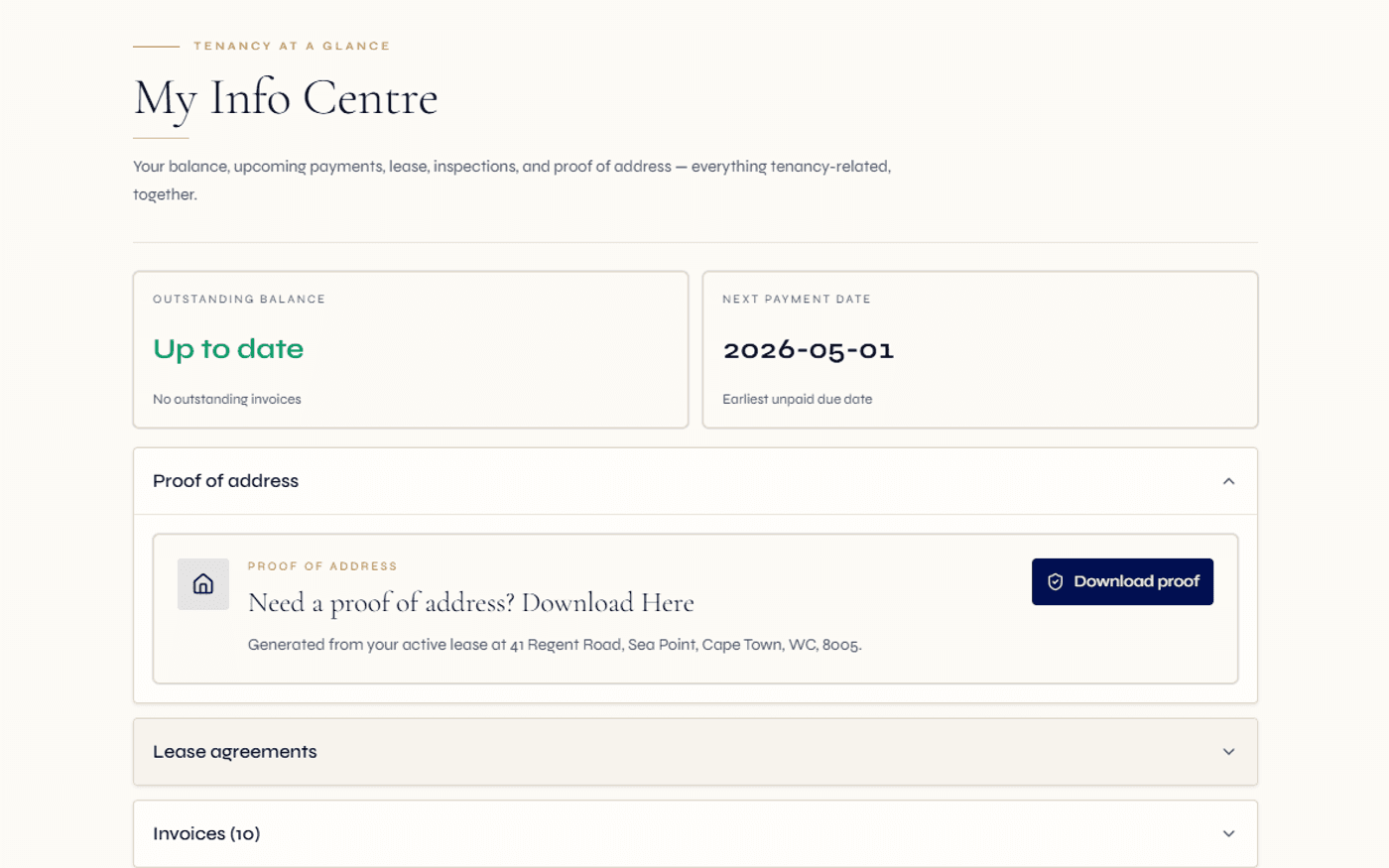
Each owner sees their own statement and balance — computed live from the ledger, never a stale copy.
The same record serves a scheme owner's levy statement and a rental landlord's portfolio statement.
Generate a current statement PDF for any owner — to email, to file, or to hand to an auditor.
The statement is what the owner actually receives. We make it one document, drawn from one ledger.
Most agencies still build owner statements by hand — pulling a balance from one system, copying payments from a bank export, formatting it in a spreadsheet, exporting a PDF and emailing it. Every step is a chance for the owner's copy to drift from the books, and every disputed figure becomes a reconciliation exercise weeks after the fact.
Regalis treats the owner statement as a live view of the underlying ledger, not a separate artefact. When a levy is raised, a payment allocated, interest accrued or a fine charged, the owner's statement updates with it. Opening a statement and downloading the PDF reflects the position at that moment — there is no second copy to keep in sync.
Because a scheme owner and a rental landlord are both owner records in different contexts, the same statement engine serves both: a per-unit levy statement for the body corporate, sectional title or HOA owner, and a portfolio statement for the rental investor. One way to produce a statement, whatever the owner holds.
Read the full guide
What hand-built statements cost you
- Balances pulled from one place and payments from another — the owner's copy drifts from the books.
- Every disputed figure turns into a reconciliation weeks after the charge was raised.
- Statements formatted in a spreadsheet and exported by hand, owner by owner, every month.
- No single source of truth: the owner, the trustee and the auditor each see a slightly different number.
- Arrears interest and conduct-rule fines tracked separately and bolted onto the statement manually.
- Rental landlord statements and scheme levy statements live in two different tools entirely.
What a live statement layer gives you
- One ledger feeds the statement — the owner's balance is the books, not a copy of them.
- A disputed figure is answered from the same record, with every charge and payment in line.
- Open any owner's statement and download a current PDF in a click — no spreadsheet step.
- Owner, trustee and auditor read the same statement, drawn from the same posted ledger.
- Arrears interest and fines flow onto the statement automatically as they are raised.
- Levy statements and rental statements come off one platform, one statement engine.
How a statement comes together.
Charges are raised on the ledger
The monthly levy run raises a levy per unit from the participation quota and active budget; rental charges raise per lease. Special levies, reserve-fund top-ups and conduct-rule fines layer in on demand. Every charge lands on the owner's ledger as it is raised.
- Monthly levy or rent run
- Special levies and top-ups on demand
- Fines charged to the owner ledger
Payments are received and allocated
Owner payments arrive by EFT or manual receipt capture. Allocations match each receipt against the right invoice, and proof of payment uploaded by the owner attaches to their record. The running balance moves as money is allocated.
- Allocations matched to invoices
- Owner proof-of-payment attached
- Running balance updated live
Interest and adjustments post
Arrears interest can be raised on overdue balances and posts to the owner's ledger, appearing as a line on the statement. Credits, reversals and adjustments post the same way, so the statement always reflects the current, true position.
- Arrears interest on overdue balances
- Credits and adjustments posted cleanly
- No off-ledger tweaks to the statement
Open the statement, download the PDF
Open the statement for any owner to see the full account — charges, payments, allocations, interest and the running balance — then download it as a PDF to email, file or hand to an auditor. Owners reach the same statement themselves through the owner portal.
- Full statement of account
- Downloadable PDF on demand
- Owner self-serve via the portal
Everything an owner needs on one statement of account.
Per-owner statement
A statement of account scoped to a single owner — every charge raised, every payment allocated and the running balance, on one document drawn from the live ledger.
Live running balance
The balance on the statement is the balance on the books. As levies are raised, payments allocated and interest posted, the running balance moves with them — no stale export.
Levy statements
For scheme owners, a per-unit levy statement computed from participation quota or the configured per-unit levy against the active budget — base levies, special levies and reserve-fund top-ups in line.
Rental landlord statements
For rental investors, a portfolio statement across properties and leases — rent and charges raised, receipts allocated, expected trust payouts and the balance per lease and per period.
Downloadable PDF
Generate a statement PDF for any owner at any time, reflecting the position at that moment — for emailing, filing, or handing to an auditor or attorney.
Arrears interest in line
Interest raised on overdue balances posts to the ledger and appears as a line on the statement alongside levies, fines and payments — never tracked off to the side.
Payments and allocations
Every receipt — EFT or manual capture — shows on the statement matched to the invoice it settled, so the owner can see exactly how their money was applied.
Owner-scoped access
An owner only ever sees their own statement and ledger through the owner portal. The full levy roll stays a trustee-level view, never exposed on an individual statement.
Proof of payment
Proof of payment an owner uploads attaches to their record for allocation, so the statement reflects EFT receipts once the office matches them against the right invoice.
One record, two contexts
A person who owns a scheme unit and rents out other property is the same owner record across both. One statement engine produces both their levy statement and their rental statement.
Multi-scheme consolidation
A managing-agent firm produces statements across many schemes and many landlords from one platform, while each owner receives only their own statement of account.
Email and share
A produced statement is ready to send — email the PDF to the owner, attach it to a reminder, or include it in an AGM or year-end pack, all from the same record.
A statement an owner, a trustee and an auditor can all rely on.
South African community schemes operate under a layered stack — the Sectional Titles Schemes Management Act (STSMA, 2011), the Community Schemes Ombud Service Act (CSOS, 2011) and the Property Practitioners Act (PPA, 2019). A clean, current owner statement matters across all of them: it is what an owner is entitled to see, what a trustee references at a meeting, and what supports a CSOS dispute or a levy-clearance check on transfer.
Because the statement is drawn from the same posted ledger as the trial balance, general ledger and reserve-fund reports, the figure an owner reads is the figure the auditor reads. When an owner queries a charge or a payment, the answer comes from one record rather than from a reconstructed spreadsheet — which is exactly the structured, defensible trail a CSOS referral or an attorney handover calls for.
For rental landlords, the same discipline applies under the trust-accounting posture: the landlord statement reflects what was raised, received, allocated and is due to be paid out, with the trust ledger as the source. This is informational and designed to support your obligations — it is not legal advice.
Continue exploring how Regalis handles the rest of the rental operation.
Body corporate accounting
The full finance engine behind the statement: scheme chart of accounts, ring-fenced reserve fund, trial balance, general ledger and auditor-ready reports.
Read moreOwner portal
The owner-facing login where each owner opens their own statement and balance, reads scheme documents, logs requests and uploads proof of payment.
Read moreLevy collection
The agent-facing recovery engine — automated levy run, reminder cadences, age analysis and a CSOS-grade evidence trail.
Read moreCommon questions
Common questions about owner statements.
What is owner statement software?+
It is the part of the platform that produces a clear, per-owner statement of account and lets that owner — or your office — open a current balance and download it as a PDF. For a scheme it is a levy statement: levies and charges raised, payments received and allocated, arrears interest and the running balance. For a rental landlord it is a portfolio statement across their properties and leases. Both are drawn live from one ledger, so there is never a second copy to reconcile.
How is this different from your body corporate accounting page?+
Body corporate accounting is the whole finance engine for a scheme — the scheme chart of accounts, the administrative and reserve funds under STSMA s3(1)(b), the cashbook, trial balance and general ledger your auditor needs. This page is the owner-facing output of that engine: the individual statement each owner receives, with its balance and downloadable PDF. The accounting page keeps the books; the owner statement is what one owner sees of their own slice of those books.
How is the levy statement calculated for each owner?+
The levy roll is computed live from each unit's participation quota (for sectional title and body corporate schemes) or the configured per-unit levy (for an HOA estate) against the active budget. The owner statement reflects base levies, any special levies, reserve-fund top-ups, arrears interest and any conduct-rule fine charged to that unit. It is the same record the managing agent operates on — there is no separate owner copy to fall out of sync.
Can it produce rental owner statements as well as levy statements?+
Yes. For a rental landlord, the statement runs across their portfolio and individual leases — showing rent and charges raised, receipts allocated, expected payouts from the trust account and the running balance per lease and per period. The same platform serves both a scheme owner and a rental landlord, because each is the same kind of owner record viewed in a different context.
Can owners download their statement as a PDF?+
Yes. A statement can be opened for any owner and downloaded as a PDF for emailing, filing or sharing with an auditor or attorney. Because the PDF is generated from the live ledger at the moment you produce it, it always reflects the current balance and allocations rather than a stale export.
Where do owners see their own statement?+
Through the owner portal. An owner signs in to their own unit or portfolio, opens their statement and balance, and downloads the PDF without phoning the office. The owner portal is the self-service login; the owner statement is the document it surfaces. Each owner only ever sees their own statement, never the full levy roll.
How does arrears interest appear on the statement?+
Arrears interest raised on overdue balances posts to the owner's ledger and shows as a line on the statement alongside levies, fines and payments. The structured recovery workflow itself — reminder cadences, age analysis and the CSOS evidence pack — lives on the levy collection page; the statement simply reflects the current position.
Stop building owner statements by hand.
One ledger, one statement, one balance.
Walk through a live levy statement, a rental landlord statement and the downloadable PDF — and see how each owner reaches their own statement through the portal — with someone from the team.