Work order management software
from logged to closed, on one record.
Log a repair, assign it, track its status, capture the photos, record the work and close it out — every work order tied to the property and the unit it belongs to. The lifecycle, the costs and the history all live on one record, so the truth of a repair never lives in a WhatsApp thread or a lost email again.
- Full lifecycle
- Tied to property + unit
- Photo trail
- Permanent history
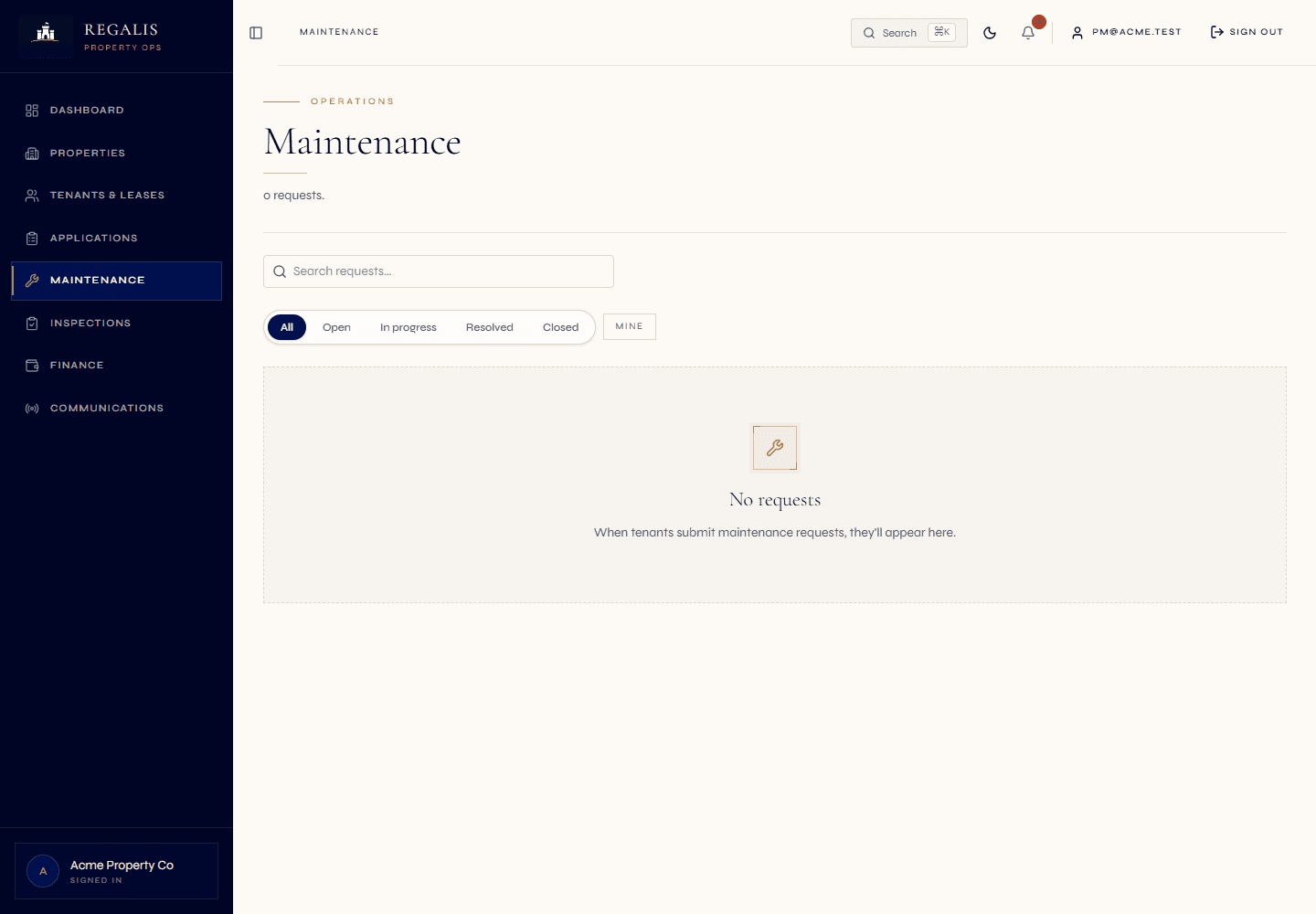
Logging, assignment, status, photos, completion and cost all live on a single work order — never scattered across threads, emails and invoices.
A work order is tied to the property and, in multi-unit buildings, the specific unit — so both carry their own permanent repair history.
Open, in progress, resolved, closed — visible at a glance, with the tenant seeing a simple version on their portal and staff seeing the full detail.
A repair is not an email. It is a record with a lifecycle — and most teams have never had one.
Walk into the average rental or scheme back office and ask where a particular repair lives, and you will get a tour: the original message in a WhatsApp group, a forwarded email to the contractor, a photo on someone's phone, a quote in a downloads folder, an invoice in the bookkeeper's inbox, and a "yes that got done" from memory. Six places, no single record, and no way to answer "what is the status?" without phoning someone.
A work order replaces all of that with one record that moves through a defined lifecycle. It is logged with a category and a description, placed against the property and the unit, given a priority and an assignee, and tracked through its status as the work happens. Photos attach to it. The work done and the cost attach to it. The closure note attaches to it. When it is closed, nothing is lost — the whole package stays on the record.
That is the difference between coordinating maintenance and managing it. Getting a contractor onto a job is one thing; having a permanent, auditable record of every repair against every unit is another. Regalis gives you both, but the work order is the spine — the structured object that the dispatch, the photos, the costs and the history all hang off.
Read the full guide
What managing repairs without a work order record costs you
- A repair lives in a WhatsApp group, an email chain and a photo on someone's phone — there is no single place that holds the full story.
- Nobody can answer "what is the status?" without phoning the contractor or the tenant, because status lives in people's heads, not on a record.
- When a tenant moves out, the history of every repair they reported moves out with the inbox it lived in.
- At unit turnover or lease renewal, the manager cannot see what has actually been fixed in that unit — only what they happen to remember.
- A deposit dispute or an insurance claim needs before-and-after photos that are spread across three phones and a download folder.
- A new property manager inheriting a building inherits no maintenance history at all — every repair starts from a blank page.
What a real work order record gives you
- One record per repair — logging, assignment, status, photos, work done, cost and closure all in one place.
- Status visible at a glance on the maintenance list, and a simplified status on the tenant portal so nobody has to chase.
- The repair history lives on the property and the unit, so it survives the tenant, the staff member and the contractor.
- At turnover or renewal, the unit's full repair history is one click away — what was fixed, when, by whom and at what cost.
- Before-and-after photos sit on the work order, ready for a deposit dispute, an insurance claim or an audit.
- A new manager inherits the building's complete maintenance record on day one — no blank page, no reconstruction.
From logged to closed — and then kept forever.
Log it against the property and unit
A tenant logs a categorised repair from their portal, or staff log one directly. It captures the category (electrical, plumbing, appliance, security, structural), a description and the location — the property and, in a multi-unit building, the specific unit. Priority is set so urgent work surfaces first.
- Categorised at the point of logging
- Tied to property + specific unit
- Priority drives where it sits in the queue
Assign it — to the auction or to a person
The work order is assigned to whoever will do the work. Send it into the WhatsApp vendor bid-auction to find the best eligible contractor, or assign it directly to an in-house team member. Either way the work order is the record; the assignment is just one field on it that the lifecycle tracks.
- Dispatch to a vendor or assign internally
- Assignee shown on the list
- Auction is optional, the record is not
Track status while the work happens
The work order moves through its states — open, in progress, resolved, closed — visible at a glance with the assignee, priority and age. Staff add internal notes and work-log entries; the tenant sees a simplified status on their portal so they always know where the repair stands.
- Open → in progress → resolved → closed
- Work log and internal notes
- Tenant-facing status with no phone calls
Capture photos, complete and keep the history
Photos attach to the work order from the tenant and from the job — a before-and-after trail. On completion the work done, the cost and a closure note are recorded, the status moves to closed, and the whole package stays permanently on the property and the unit. The repair is finished; the record never disappears.
- Before-and-after photo trail
- Work done, cost and closure note captured
- Permanent history on property + unit
Everything a repair generates, on the record that owns it.
A work order is the structured object the rest of maintenance hangs off. Logging, assignment, status, photos, costs and history — each one a part of the same record, not a separate tool to reconcile later.
Categorised logging
Every work order opens with a category — electrical, plumbing, appliance, security, structural — and a description, so it is routable and reportable from the first moment.
Tied to property and unit
A work order is placed against the property and, in multi-unit buildings, the specific unit. Both records carry their own repair history as a result.
Priority and ageing
Priority decides where a work order sits in the queue; ageing shows how long it has been open, so nothing urgent quietly slips down the list.
Assignment
Send the work order into the WhatsApp vendor auction or assign it directly to an in-house team member. The assignee is a tracked field on the record either way.
Status lifecycle
Open, in progress, resolved, closed — a clear flow visible on the maintenance list, with a simplified version surfaced on the tenant portal.
Work log and notes
Staff record work-log entries and internal notes as the job progresses, building a running narrative of what was done and when, separate from tenant-visible status.
Photo trail
Photos attach to the work order from the tenant's portal and from the job site — a before-and-after record held under retention controls.
Completion and cost
On completion the work done, the cost and a closure note are captured against the work order, closing it out cleanly with the financial detail attached.
Tenant-visible status
The tenant portal shows the request status, the assigned person, the photos and any tenant-visible notes — so the office is no longer the switchboard for "any update?".
Per-unit repair history
Because every work order is tied to a unit, the unit carries its full repair history — invaluable at turnover, renewal or a deposit dispute.
Portfolio-wide work order list
One list across the portfolio with status, assignee, priority and age, filterable so the team can see what is open, what is overdue and what is closed.
Audit-ready record
The closed work order — description, assignment, photos, work done, cost, closure note — stands on its own as evidence for an audit, an insurer or a scheme AGM.
Designed to support retention
Photos and documents on a work order are held under retention controls, structured to support your POPIA posture without the team having to think about it.
Rentals and schemes alike
A rental unit repair and a body-corporate common-area repair run the same lifecycle on the same record type — no separate tooling for the scheme side.
Ages, not phone calls
Open work orders are reviewed continuously and surfaced by age, so a repair that has been sitting too long is flagged for action rather than forgotten.
The work order is the record. Dispatch and scheduling are how it gets created and moved — not separate places to look.
It is worth being precise about how the maintenance tools relate, because most platforms blur them. Maintenance coordination is the dispatch problem — getting an eligible contractor onto the job fast, which Regalis solves with a WhatsApp bid-auction that awards on the earliest credible ETA. Preventative maintenance is the scheduling problem — making sure cadence-based work, like a quarterly gutter clean or an annual fire-extinguisher service, gets raised on time without anyone remembering to.
Work order management is neither of those. It is the record that both of them act on. A reactive repair logged by a tenant, a job dispatched through the auction, a preventative plan that has come due — all three create or move a work order. The lifecycle, the photos, the costs and the permanent history belong to the work order, regardless of how it was born or who was assigned to it. That separation is deliberate: it means the record is always the same shape, always in the same place, and always complete.
For a managing agent firm, the practical effect is that there is one answer to "what is the full history of repairs in this unit?" and "what is the status of this repair right now?" — and that answer survives staff turnover, tenant turnover and changing contractor relationships. The dispatch can change, the scheduler can change, the people can change. The work order record stays.
Continue exploring how Regalis handles the rest of the rental operation.
Maintenance coordination
The WhatsApp vendor bid-auction — eligible contractors bid, the earliest credible ETA auto-wins, vendor health scores break ties. How a work order gets a contractor onto the job.
Read morePreventative maintenance
Cadence-based plans — weekly to annual to custom-interval — that automatically raise the next work order when due. How scheduled work orders get created without anyone remembering.
Read moreMaintenance & inspections
The working maintenance and inspections surface inside Regalis — the live list, the dispatch board, vendors, plans and SLA tracking in one place.
Read moreCommon questions
Common questions about work order management.
What is work order management in Regalis?+
It is the lifecycle of a single repair from the moment it is logged to the moment it is closed. A work order captures what is wrong, where it is (the property and the specific unit), who it is assigned to, what status it is in, the photos before and after, the work that was done, the cost, and the closure note. Every step is recorded against the same record, so the work order is the single source of truth for that repair — not a WhatsApp thread, an email and an invoice scattered across three places.
How is this different from your maintenance dispatch (vendor auction)?+
Maintenance coordination is about getting the right vendor onto the job quickly — the WhatsApp bid-auction that finds an eligible contractor and awards on the earliest credible ETA. Work order management is the record that surrounds that: the logging, the assignment, the status tracking, the photo trail, the completion capture and the permanent history. The auction is one moment inside the work order lifecycle. You can run a work order with the auction, or assign it directly to an in-house team member — either way the lifecycle and the history are the same.
How is this different from preventative maintenance?+
Preventative maintenance is the scheduler that raises work on a cadence — a quarterly gutter clean, an annual fire-extinguisher service. When a preventative plan comes due it raises an ordinary work order. So preventative maintenance is one of the ways a work order is born; work order management is what happens to it once it exists, however it was raised — reactively by a tenant, manually by staff, or automatically by a schedule.
Is every work order tied to a unit?+
Yes, where a unit applies. A work order is logged against a property and, for multi-unit buildings, the specific unit — flat 12B, shop 4, the common-area pump room. That means the property record and the unit record both carry their own repair history. When a unit turns over or comes up for renewal, the manager can see every repair that unit has ever had without hunting through old emails.
What does the status lifecycle look like?+
A work order moves through clear states — open, in progress, resolved and closed — with the assigned person, priority and age visible at a glance on the maintenance list. Tenants see a simplified version of the status on their portal so they always know where their repair stands, and staff see the full picture with internal notes, work-log entries and cost.
How are photos and completion handled?+
Photos attach directly to the work order — the tenant can upload from their portal, and the assigned contractor or staff member can upload from the job. They sit on the record as a before-and-after trail. On completion the work done, the cost and a closure note are captured, the status moves to closed, and the whole package stays on the work order permanently.
Does the history survive staff and tenant changes?+
Yes. The work order history lives on the property and the unit, not on the person who logged it. A tenant can move out, a property manager can leave the firm, a vendor relationship can end — the record of what was reported, who did the work, what it cost and what the photos showed stays attached to the property. That permanent trail is what makes handovers, audits and dispute responses straightforward.
Does it work for both rentals and community schemes?+
Yes. Work orders run the same way on a rental property and on a scheme-mode property. A body corporate logs a common-area repair against the scheme; a landlord logs a unit repair against a rental home — same lifecycle, same photo trail, same history. For schemes the work order history also feeds the audit and AGM evidence trail.
Stop reconstructing repairs from WhatsApp threads.
Give every repair a record.
Walk through the work order lifecycle, the per-unit history and the photo-and-completion trail with someone from the team — and see how a repair stays on the property long after the people move on.